
The app — the feed on every plan, the operation on Pro.
One app. Two sides.
Everything your operation needs is in the same app the buttons feed: cleanings, your team and every property. The manager sees the whole operation. The cleaner sees only today's work. Nobody has to learn a system.
Run the whole operation
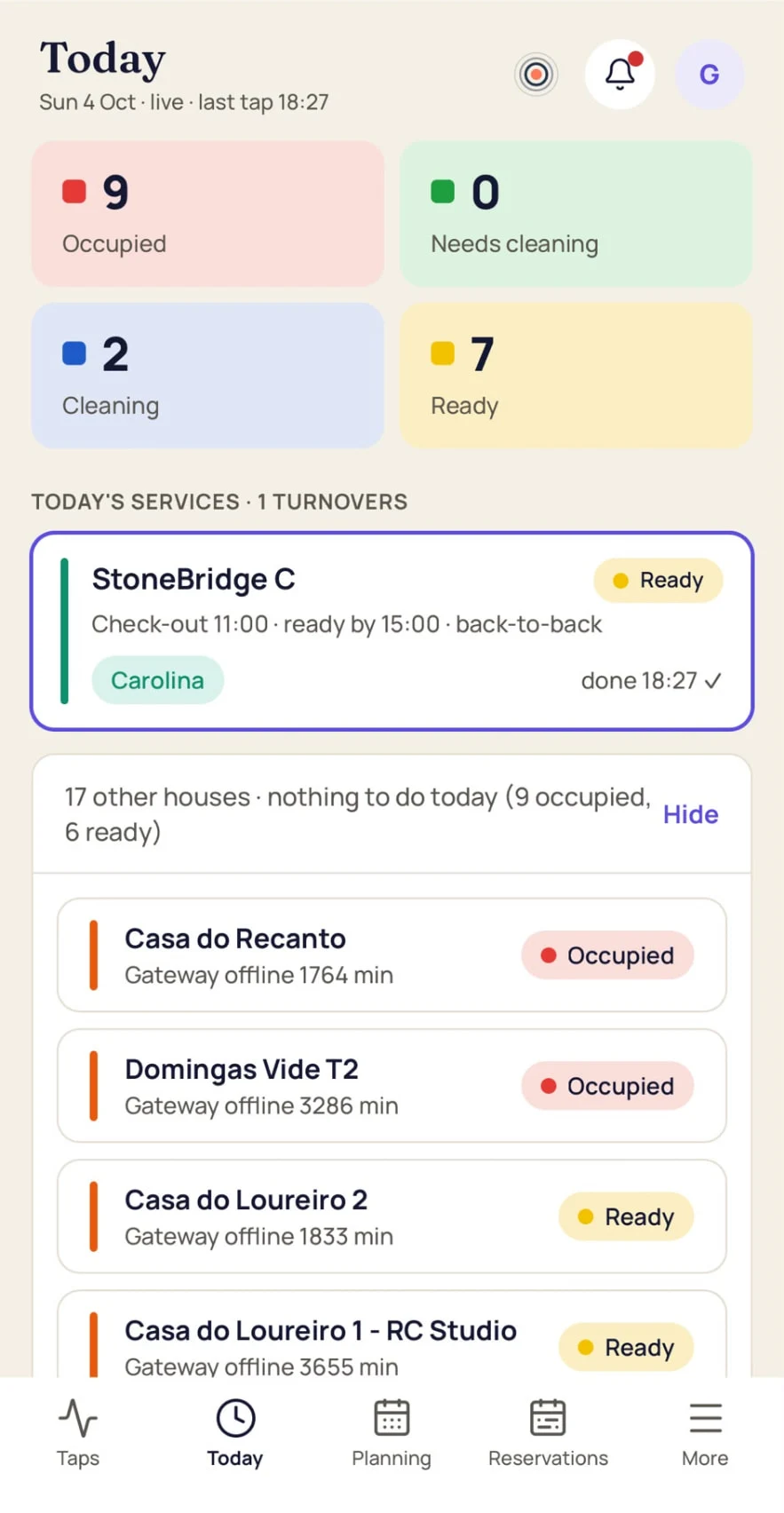
On the phone for a quick look, in the browser for the full console — see below.
- Live status of every unit — the colour of the last button tap.
- Cleaning tasks created automatically from every reservation; same-day turnovers flagged.
- Default-cleaner rules per property: every new booking is assigned automatically to the first available person — approved time off is skipped.
- Weekly planning with coverage view: see every turnover without a cleaner at a glance.
- Property files: address, Wi-Fi, door codes, key box, check-in/out times, checklists.
- Maintenance board with photos, multiple assignees and preventive routines — with a full history that can never be edited or deleted.
- Panel fleet: online/offline and battery for every unit's button.
Their day, nothing else
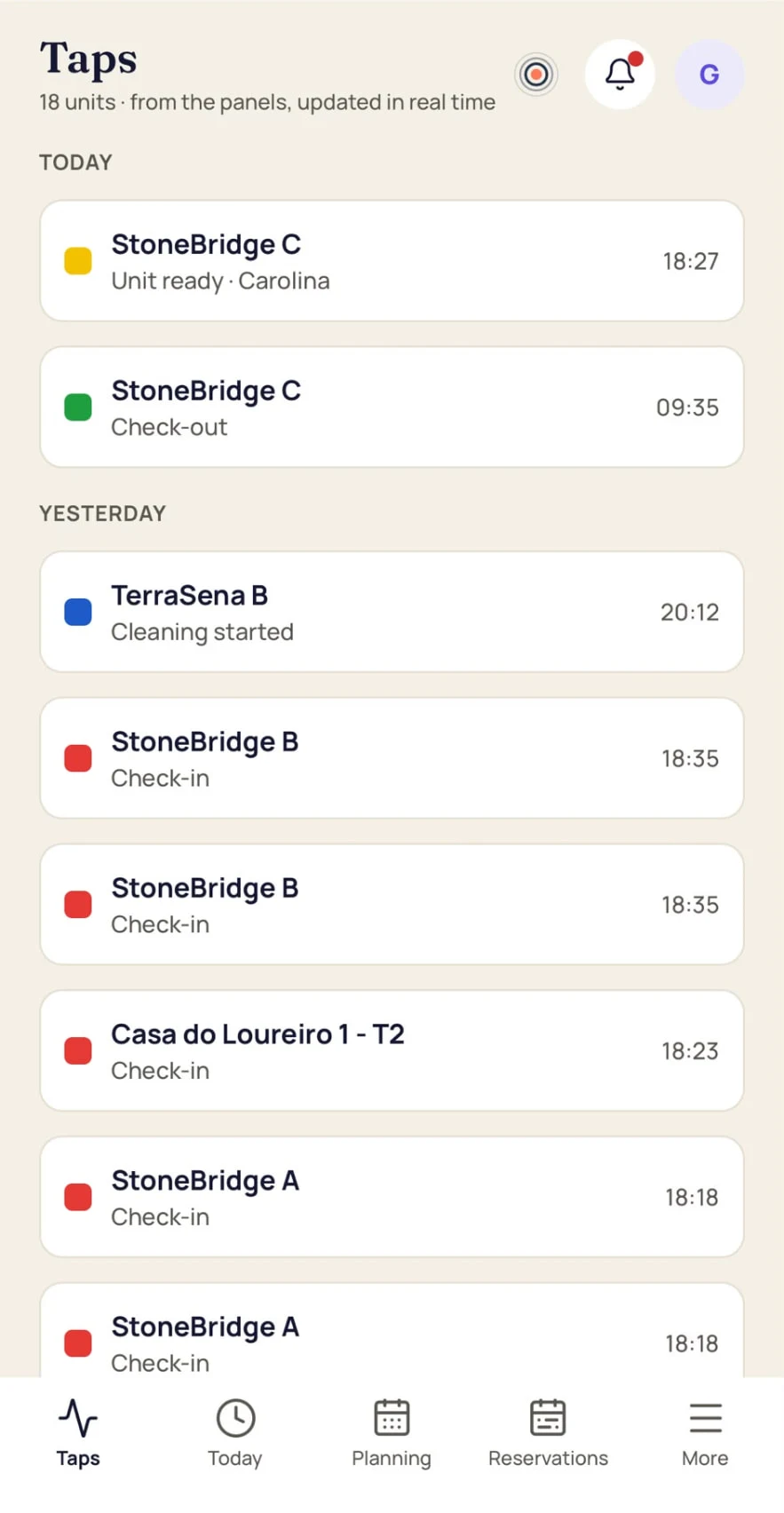
- Today's cleanings, unit by unit, with the property's checklist.
- A push the moment a job is assigned.
- The property's details when they're standing at the door.
- Report a problem with a photo in seconds.
- Request time off from the phone.
- Their own language — the app speaks English, Portuguese, Spanish, French, German, Dutch and Italian, chosen per person.
- Connects the OneTapHost kit over Bluetooth — about 5 minutes per house.
Late check-out? One tap, everyone knows.
Guest leaving at 14:00 instead of 11:00? Set the new time on the day's view — the whole team gets a push with the updated deadline, and the assigned cleaner's schedule moves with it. No group message, no one showing up too early.
Syncs your reservations from any channel manager by iCal.
iOS, Android and web console · 7 languages.
The app, the web console and this website — all seven.
The manager console — the whole operation in a browser.
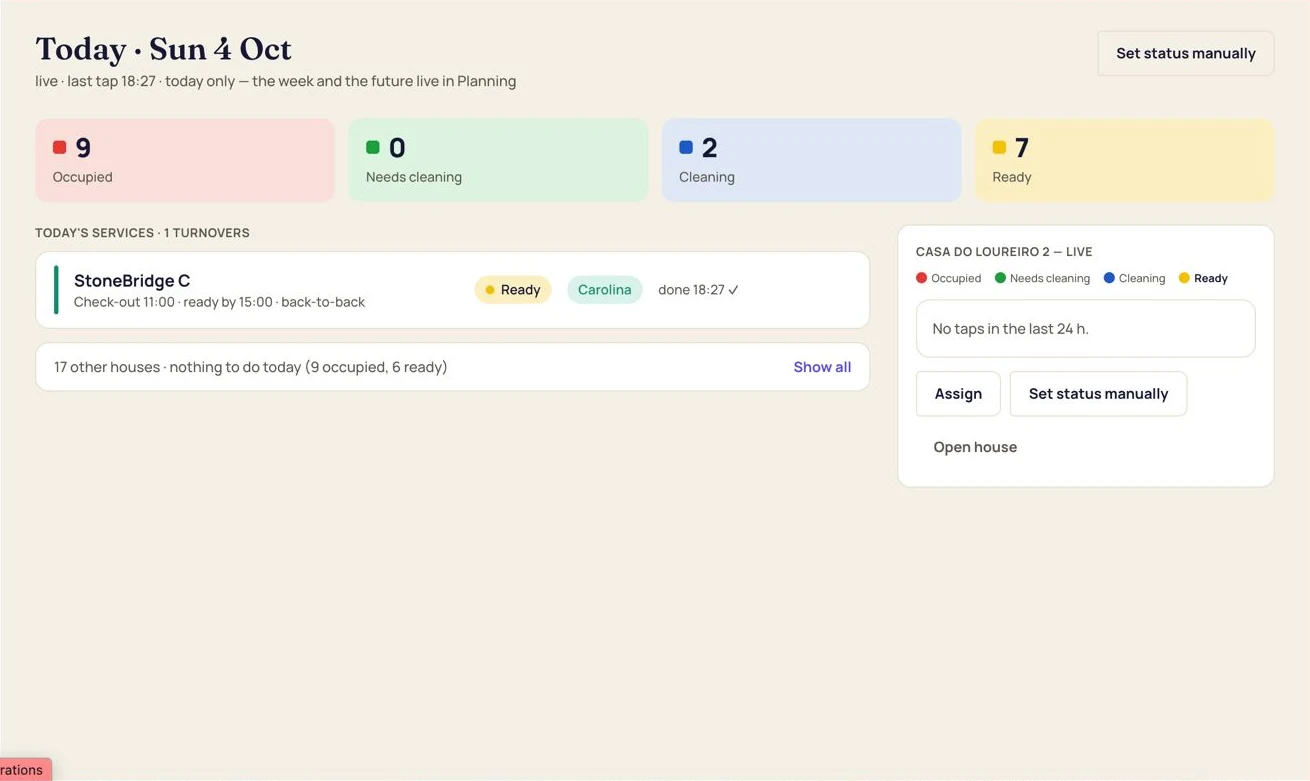
Your day, before it starts.
Cleanings by status, arrivals and departures, what needs attention — and the same view for any day of the week.
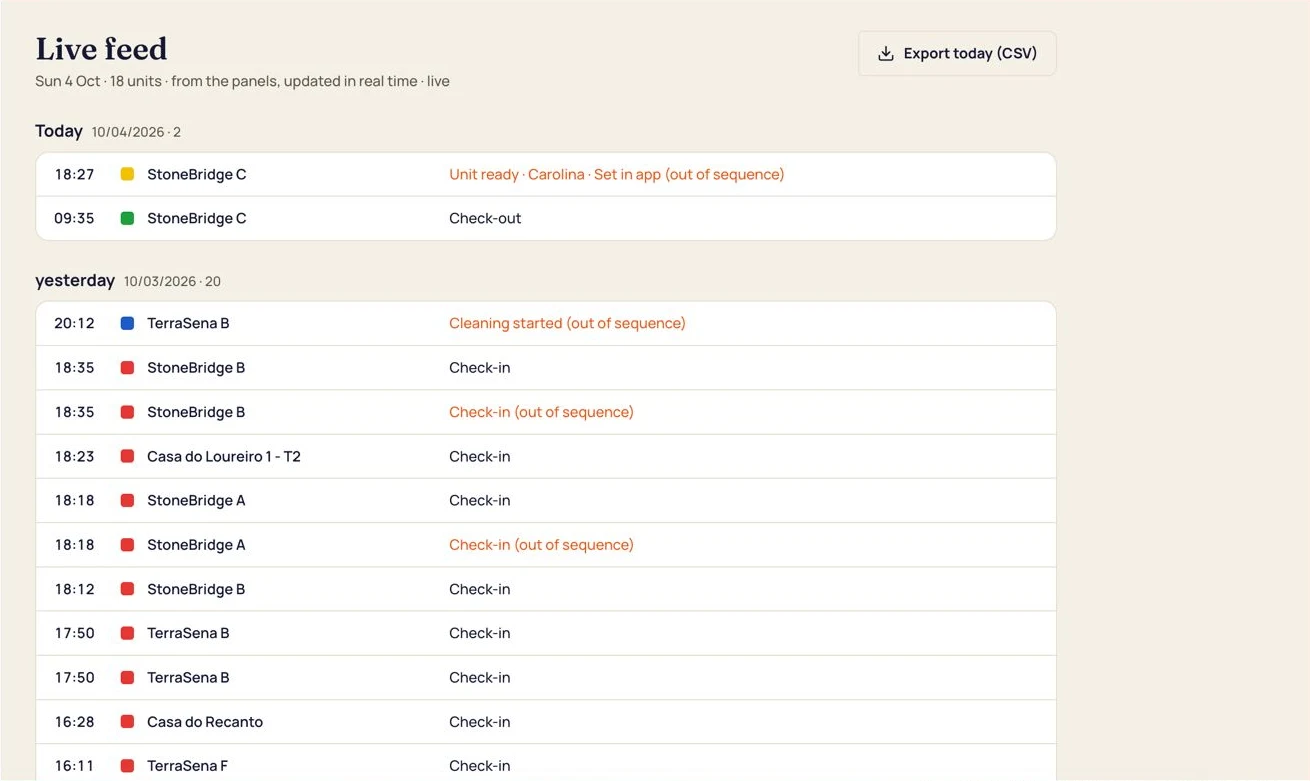
Every tap, the moment it happens.
Check-in, check-out, cleaning started, unit ready: the feed shows what was pressed, where, and when.
Filter by property or by day.
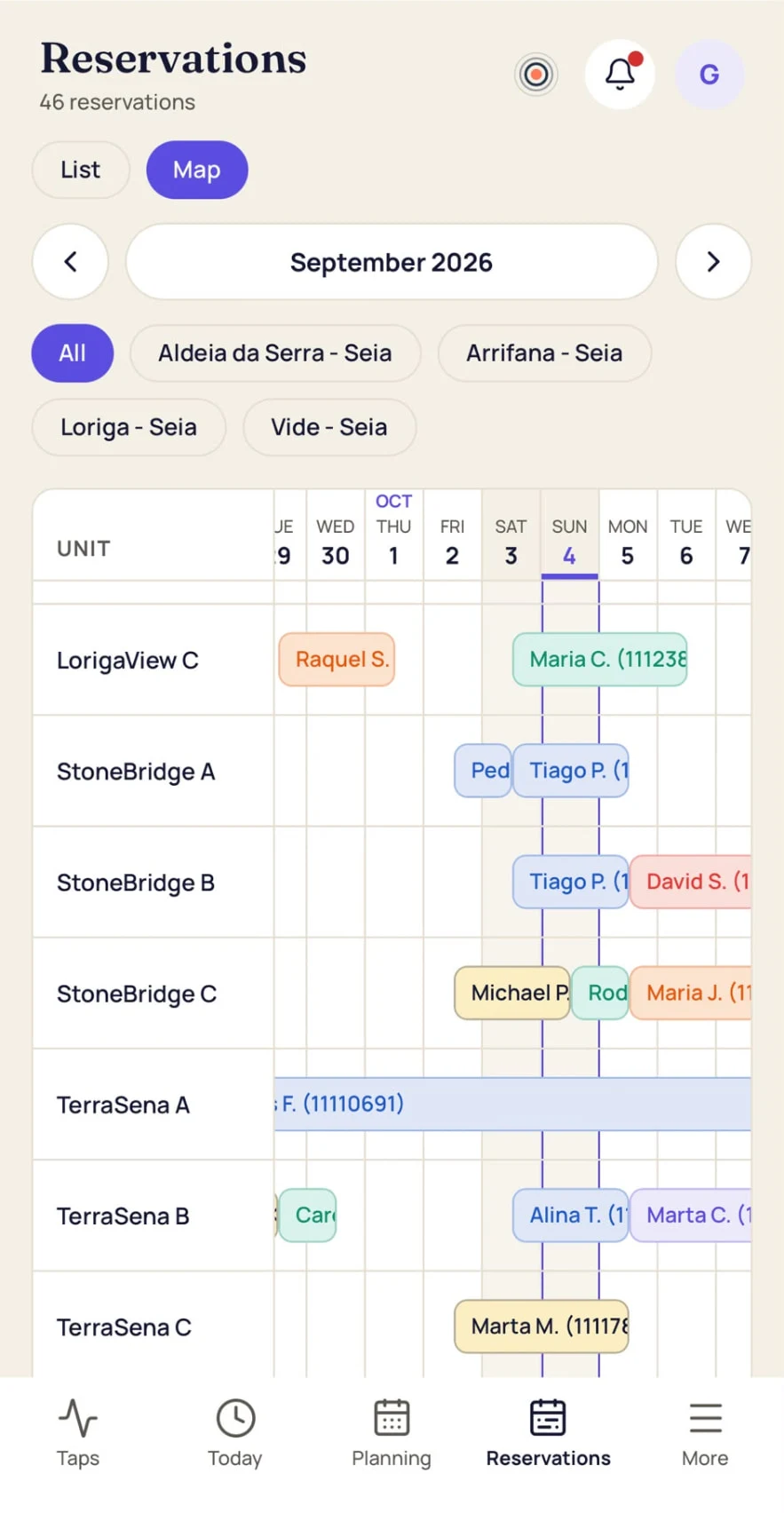
One screen, every unit.
Status, current guest, checkout date, button online and battery level.
The state of the whole portfolio without a single call.
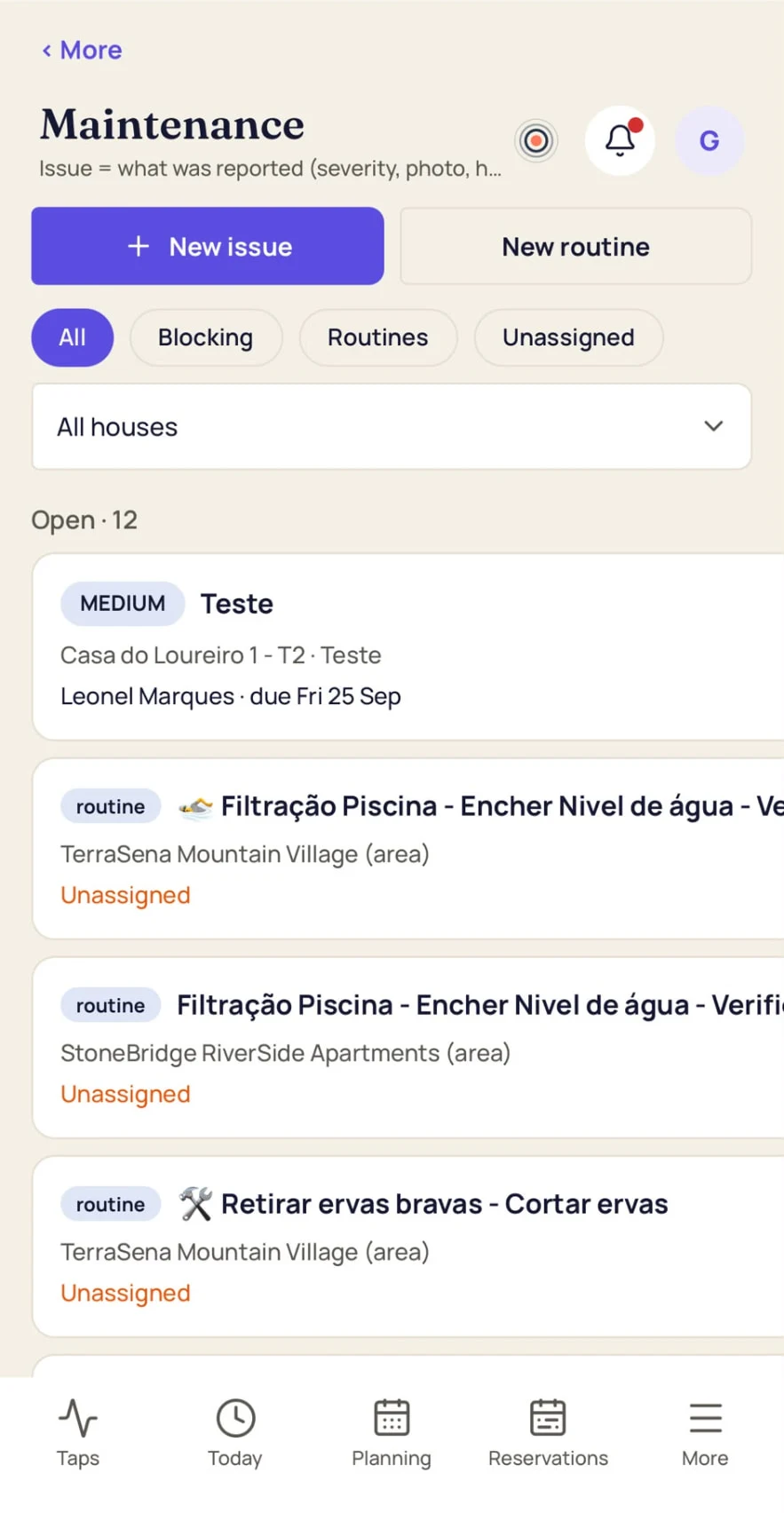
Problems reported, assigned, resolved.
A photo from the cleaner becomes a card on the board.
Recurring preventive jobs are created on their own.
Why not WhatsApp, or a cleaning app?
Both work until you have more than a handful of units and more than one person.
Knowing the guest has left
- WhatsApp / phone
- Call or wait for a message
- Generic cleaning app
- Someone taps in the app
- OneTapHost Pro
- Physical button, automatic
Knowing the unit is ready
- WhatsApp / phone
- Someone remembers to write it
- Generic cleaning app
- Someone taps 'finished'
- OneTapHost Pro
- Physical button, automatic
Real cleaning time
- WhatsApp / phone
- No
- Generic cleaning app
- Only if they tap start/finish
- OneTapHost Pro
- Measured by the button
Schedule, time-off, who cleaned
- WhatsApp / phone
- Spreadsheet
- Generic cleaning app
- Sometimes
- OneTapHost Pro
- Built in
Works at 25 units
- WhatsApp / phone
- One group per unit — chaos
- Generic cleaning app
- Varies
- OneTapHost Pro
- Same flow at any size
Hardware to buy
- WhatsApp / phone
- None, and no data either
- Generic cleaning app
- None, and no real events
- OneTapHost Pro
- Included, 0 €
Most cleaning apps depend on someone opening their phone. OneTapHost knows for real — even with the app closed.
Get the OneTapHost app
Create your account first, then install the app and sign in with the same email and password. Staff members get an invitation link from their manager.
Direct download — not on Google Play yet. Allow installs from your browser when Android asks.